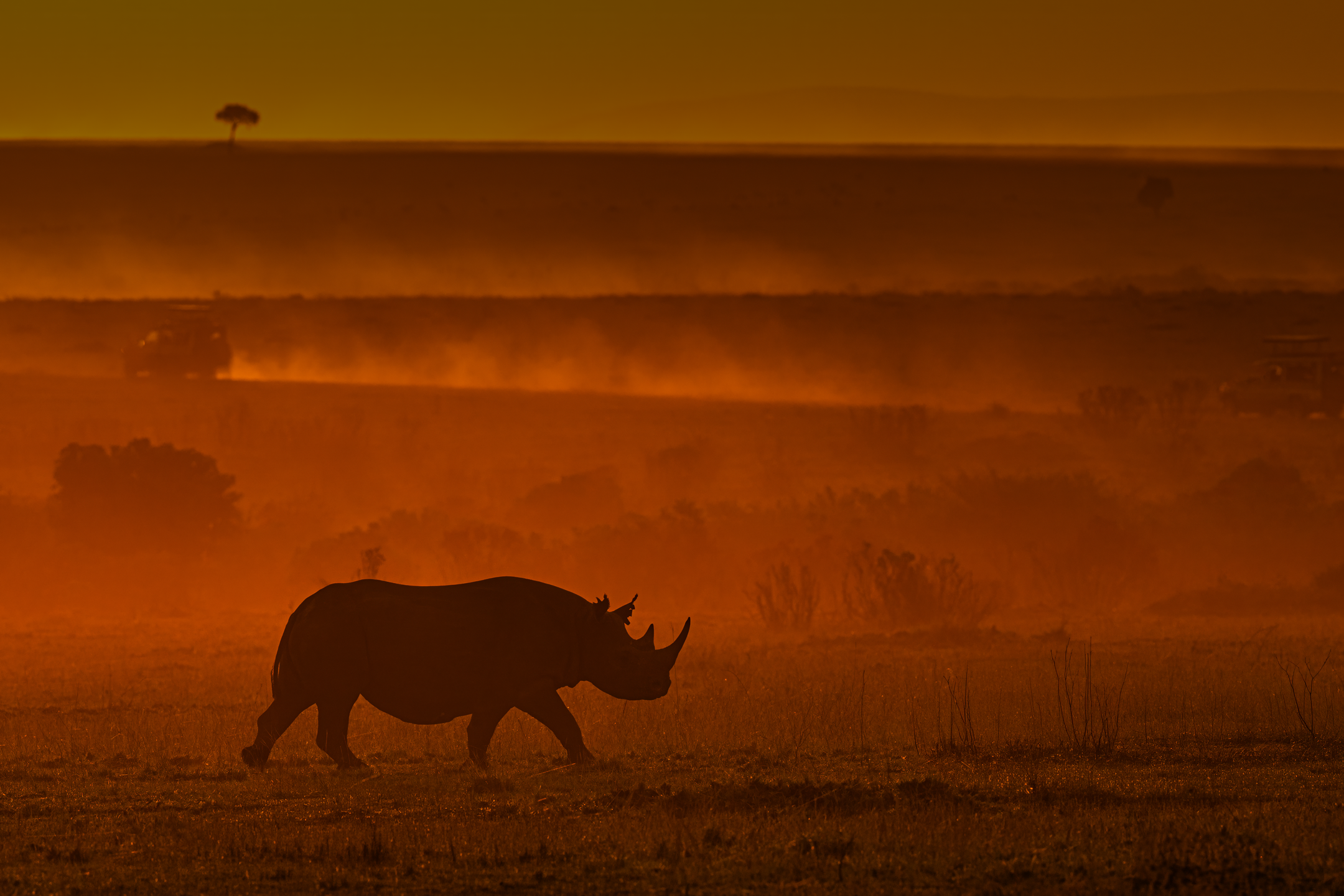
It is 5:47 AM at Bandhavgarh. Your gypsy enters the Tala zone just as the sal canopy breaks enough to reveal a tiger, stationary, twenty metres ahead — eyes locked on a spotted deer. You have perhaps eight seconds before it moves. Your hands are on the camera. And in that moment, the only thing standing between a career-defining image and a blurred grey shape is whether your wildlife photography camera settings were configured the night before.
This is the reality of photography in Indian national parks. Unlike studio work — where you control every variable — wildlife photography in India is defined by constant, simultaneous challenges: the pitch-dark interiors of Corbett’s sal forests at first light, the blinding white dust-haze of central India’s summer afternoons, an elephant’s sudden charge from dense bamboo, a kingfisher’s dive that lasts 0.4 seconds. Reacting to these conditions in real time is not possible. Preparation is everything.
Getting the best camera settings for wildlife in Indian conditions is not about memorising a single universal configuration. It is about understanding why each setting matters, how Indian forest light behaves differently from morning to afternoon, and how to build a camera setup that gives you maximum photographic control with minimum cognitive load in the field — so that when the tiger appears, you are thinking about composition, not about menus.
This guide covers 10 precisely calibrated settings used in the field across India’s premier wildlife destinations — Ranthambore, Jim Corbett, Bandhavgarh, Kaziranga, Kanha, and Panna. Each setting comes with specific values, India-specific context, and practical configuration advice for both DSLR and mirrorless systems. Whether you are planning wildlife photography tours in India or preparing independently, these are the settings that separate a sharp, publishable frame from a missed opportunity.
“The best wildlife photographers I have mentored all share one habit: their camera is set before they enter the forest. Not after.” — Yogesh Bhatia, Wildlife Photographer & Mentor
Setting 01: Shutter Speed — The Foundation of Sharp Wildlife Frames
The single most common cause of blurry wildlife images is insufficient shutter speed — not camera shake, not missed focus. Understanding the minimum threshold for each type of wildlife movement in Indian conditions is the first step toward consistently sharp images.
Recommended Values by Subject
| Subject / Scenario | Minimum Shutter Speed | Ideal Shutter Speed |
| Tiger — stationary, alert | 1/500s | 1/800s |
| Tiger — walking / patrolling | 1/1000s | 1/1600s |
| Tiger — charging / running | 1/2000s | 1/4000s |
| Indian elephant — walking | 1/800s | 1/1250s |
| Leopard — in tree or rocky outcrop | 1/640s | 1/1000s |
| Bird — perched (kingfisher, owl) | 1/500s | 1/800s |
| Bird — in flight (crane, eagle, bee-eater) | 1/2000s | 1/3200s |
| Peacock — displaying / fanning | 1/800s | 1/1250s |
| Gharial / mugger — stationary at riverbank | 1/320s | 1/500s |
India-Specific Shutter Challenges
- Forest canopy at dawn (Corbett, Kanha, Bandhavgarh): Canopy cover at 6:00–6:30 AM reduces available light severely; never drop below 1/800s even for a resting tiger — forest light plays tricks on the histogram and movement happens without warning
- Engine vibration in open gypsies: Even a ‘stationary’ vehicle transmits micro-vibration through the chassis at 400–600mm; at 1/640s this vibration registers as subject blur; switch the engine off at every sighting before raising your camera
- Heat shimmer in central India (March–May): Atmospheric distortion above 35°C creates wave-like blurring in long-focal-length images; faster shutter speeds (above 1/2000s) freeze this effect more effectively than slower speeds
- Bird photography camera settings for in-flight subjects: Indian roller, lesser adjutant stork, Indian eagle-owl in flight — set a floor of 1/2500s and do not compromise regardless of resulting ISO penalty
PRO TIP — Use Shutter Priority (Tv / S mode) as your starting configuration on Indian safaris. Set your priority shutter speed before entering the park and let the camera handle aperture. Override to Manual only when you have confirmed time at a productive location.
Setting 02: Aperture Selection — Background Isolation and Light Control
In wildlife photography, aperture serves two simultaneous purposes: controlling depth of field for subject isolation and maximising light intake in low-light forest conditions. In India’s habitats, you are constantly balancing these two demands — especially in the first and last 45 minutes of every safari drive, when the best wildlife activity coincides with the lowest light.
Recommended Aperture by Scenario
- Primary shooting aperture for mammal photography: f/4 to f/5.6 — wide enough to gather sufficient light in forest canopy conditions while maintaining adequate depth of field for a moving animal
- Water body / open grassland shooting: f/5.6 to f/7.1 — slightly more depth of field when the background is distant and the risk of front/back focus on a moving animal is higher
- Portrait / eye-contact frame: f/2.8 to f/4 — when the tiger or leopard is stationary and looking toward you directly; maximum background blur at these apertures creates the ‘magazine cover’ separation
- Bird in flight: f/5.6 to f/7.1 — birds move in three dimensions; a wider aperture risks the wing tips going soft; extra depth of field compensates for tracking imprecision
- Environmental / habitat context shot: f/8 to f/11 — when storytelling requires both the animal and its surrounding landscape to be sharp
Aperture and Indian Light Conditions
Morning forest (5:45–7:30 AM): Shoot at maximum aperture (f/4 or f/2.8) to gather maximum light; accept the shallow depth of field as a creative benefit — it isolates your subject beautifully from complex forest backgrounds
Harsh midday sun (10:00 AM–3:00 PM): Stop down to f/7.1–f/11; uncontrolled highlights blow out rapidly in Indian summer conditions, and a slightly closed aperture gives exposure control without raising ISO
Evening golden hour: Return to f/4–f/5.6; the warm, directional low-angle light at 4:30–6:00 PM is India’s finest wildlife photography window, and opening up the aperture maximises subject separation in these ideal conditions
Bird Photography Camera Settings insight: For birds perched in canopy light — a common scenario at Corbett’s river zones — shoot at f/5.6 minimum. The banded wings of a kingfisher or the intricate plumage of a Indian pitta require enough depth of field to keep the full body sharp, not just the eye.
Setting 03: ISO Management & Auto ISO — Handling India’s Extreme Light Range
No single technical challenge is more misunderstood on Indian safaris than ISO management. Photographers consistently under-expose to avoid noise — and return home with sharp-looking histogram images that collapse during editing because the shadow detail is simply not there. In Indian forest conditions, correct exposure at a high ISO is always preferable to under-exposure at a low ISO.
Auto ISO Configuration — The Essential Setup
Auto ISO is not a crutch — it is the most intelligent tool available for dynamic wildlife conditions. Configure it as follows for Indian safari conditions:
- Minimum shutter speed: Set to your focal-length-appropriate floor (typically 1/1000s for 400mm, 1/1600s for 600mm in action conditions)
- Maximum ISO ceiling: Set to ISO 12800 on Sony Alpha 1, Canon EOS R5 MkII, Nikon Z9; set to ISO 6400 on Canon 7D MkII, Nikon D500, or any APS-C DSLR system
- Minimum ISO: Set to ISO 400 as the floor — not 100; allowing the camera to drop to ISO 100 in bright conditions when you are in Aperture Priority results in blown highlights before you can react
ISO by Time of Day — Indian Safari Reference
| Time / Condition | Target ISO Range | Notes |
| Pre-dawn gate entry (5:30–6:00 AM) | ISO 3200–12800 | Maximum forest darkness; accept high ISO for a sharp frame |
| Early morning canopy light (6:00–7:30 AM) | ISO 1600–6400 | Variable; auto ISO handles the rapid changes as canopy opens |
| Mid-morning open zone (7:30–10:00 AM) | ISO 400–1600 | Best balance of sharpness and clean files |
| Harsh midday (10:00 AM–3:00 PM) | ISO 200–800 | Brightest conditions; risk is overexposure, not noise |
| Late afternoon (3:00–5:30 PM) | ISO 800–3200 | Shadows return quickly; keep auto ISO active |
| Golden hour / sunset drive (5:30–6:30 PM) | ISO 1600–6400 | Rapid light drop; do not manually reduce — let auto ISO work |
DSLR Settings for Wildlife Photography — ISO Note: If shooting on a Canon 7D MkII or Nikon D500, which remain excellent wildlife DSLRs, cap Auto ISO at 6400. Beyond this, luminance noise on APS-C sensors begins to compromise feather and fur detail in ways that are difficult to recover in post-processing.
Setting 04: Autofocus Mode — Continuous AF for Unpredictable Wildlife
The autofocus mode selection on Indian safaris is non-negotiable: Continuous Autofocus (AF-C on Sony/Nikon, AI Servo on Canon) is your default, always-on configuration. Single AF (AF-S / One-Shot) is for landscapes and portrait work only — in the field, any moment of single-shot focus is a moment of potential missed frame.
AF Mode by System
- Sony Alpha series: AF-C (Continuous AF) with Tracking enabled via dedicated tracking button or half-press assignment
- Canon EOS R / mirrorless: Servo AF — the system carries 40+ years of tracking algorithm refinement; trust it for erratic movement
- Nikon Z series: AF-C with subject detection enabled via i-menu for rapid access in the field
- Canon DSLR (7D MkII, 90D): AI Servo AF with Tracking Sensitivity set to 0 (locked-on) for large mammals, and +1 (responsive) for fast birds
AF Area Mode Selection
- Wide Zone AF (default for mammals): Covers a large portion of the frame; ideal for large mammals (tigers, elephants, rhinos) where the subject fills significant frame real estate and precise AF point selection is not required
- Zone AF (medium zone): Best for medium-speed movement through predictable paths — a walking tiger on a forest road, an elephant at a water crossing
- Flexible Spot / Single Point: Use only for stationary subjects where you need to place focus precisely — a great horned owl in a tree hollow, a crocodile’s eye at a riverbank
- Subject Detection (Animal/Bird): See Setting 05; this supersedes manual area selection on modern mirrorless systems and should be your default configuration when shooting with Sony Alpha 1, Canon R5 MkII, or Nikon Z9
WILDLIFE PHOTOGRAPHY TIPS INDIA — AF Tip: In Ranthambore’s rocky terrain zones (3, 4, 5), background rocks and tree trunks are at similar distances to the tiger. Wide Zone AF will frequently lock onto rocks. Use Zone AF (medium) and position your zone over the animal’s head/shoulder mass to force correct lock-on.
Setting 05: Animal/Bird Eye Detection AF — The Mirrorless Game-Changer
Eye Detection Autofocus has fundamentally changed what is achievable in wildlife photography. On modern mirrorless systems, the camera identifies, acquires, and continuously tracks an animal’s eye across the full frame — even through partial vegetation occlusion — with a precision and speed that human eye-and-AF-point placement cannot match. For photographers on wildlife photography tours in India, mastering Eye AF configuration is one of the highest-return technical improvements available.
How to Configure Eye Detection AF for Indian Wildlife
- Sony Alpha 1: Enable Animal Eye AF via Camera Settings 1 > AF Subject Recognition; set priority to Animal; on the back button assign AF-ON + Tracking for instant subject acquisition
- Canon EOS R5 MkII: Enable Animal Detection under AF5 menu; set Subject to Track = Animal; the system switches between eye, face, and body automatically based on visibility
- Nikon Z9 / Z8: Enable Animal Detection AF under AF Subject Detection menu; Nikon’s 3D tracking combined with animal detection produces exceptional results with erratic subjects like birds in flight
Eye AF Performance in Indian Conditions
- Dense forest (Corbett, Kanha): Eye AF functions even when 30–40% of the animal’s face is obscured by vegetation; the camera locks onto any visible eye segment and continues tracking as the animal emerges
- High-contrast conditions (Ranthambore white rock + dark tiger): Eye AF excels here — the contrast between a tiger’s amber eye and its surroundings is precisely the type of edge detection these systems are optimised for
- Birds in flight — Kaziranga’s lesser adjutant storks, Corbett’s ospreys: Bird Eye AF on the Sony Alpha 1 and Canon R5 MkII tracks flying birds at 30fps with blackout-free EVF — a capability that was simply impossible on DSLRs of equivalent price
- Low-light limitation: Eye AF reliability drops below ISO 6400 / EV 2 conditions; in very dark pre-dawn forest, switch to Wide Zone AF as a fallback rather than persisting with Eye AF that hunts
Bird Photography Camera Settings — Eye AF insight: For Indian birds in flight — osprey, lesser flamingo, Indian roller — set Bird Eye AF + Subject Detection to highest sensitivity, burst rate to 20fps, and pre-burst buffer by half-pressing before the subject enters the optimal frame position. This pre-loading technique recovers frames that reactive shooting would miss entirely.
Setting 06: Exposure Metering — Managing India’s Brutal Contrast Conditions
Indian safari conditions present some of the most demanding metering scenarios in all of wildlife photography: a dark-coated tiger emerging from deep forest shadow into full sunlight simultaneously in the same frame, or a white-backed vulture against a blown-out midday sky. Understanding which metering mode to use — and when — determines whether highlights are recoverable in post-processing or permanently lost.
Metering Mode Selection
- Evaluative / Matrix Metering (default): The camera’s full-scene analysis system; reliable for balanced, medium-contrast scenes — a tiger in dappled morning forest light, a rhino in Kaziranga’s open grassland; use this as your starting mode
- Spot Metering: Expose for the animal’s fur/feather tone directly; essential when the background is significantly brighter or darker than the subject (a white egret against blue water, a black bear in snow terrain)
- Highlight-Weighted Metering (Sony) / Highlight Tone Priority (Canon): Use specifically in harsh midday conditions and in Rajasthan parks where white rock faces and bright dust reflect extreme light; this mode protects highlights from clipping at the cost of shadow brightness — recoverable in RAW, unlike blown highlights
- Centre-Weighted: Largely superseded for wildlife use; only applicable when the subject consistently occupies the frame centre — a scenario rare in authentic wildlife photography
India-Specific Metering Scenarios
| Scenario | Recommended Metering | Exposure Compensation |
| Tiger in morning dappled forest light | Evaluative / Matrix | 0 to -0.3 EV |
| White-coated subject (egret, barn owl) in bright light | Spot on subject | + 0.7 to +1.3 EV |
| Dark-coated subject (sloth bear, black panther) in shade | Spot on subject | -0.3 to -0.7 EV |
| Tiger entering from shadow into full sun (transition) | Highlight-weighted | −0.3 to −0.7 EV |
| Ranthambore white fort / rocky background | Highlight-weighted | 0 to −0.3 EV |
| Bird against bright sky | Spot on bird’s body | +0.7 to +1.7 EV |
| Water body reflections (Bandhavgarh lakes) | Evaluative | −0.3 EV |
CRITICAL — Highlight Recovery: In Indian conditions, always expose to protect highlights. RAW files can recover 3–4 stops of shadow detail on modern sensors. They cannot recover a single blown highlight. When in doubt, apply -0.3 to -0.7 EV compensation and lift shadows in Lightroom.
Setting 07: Drive Mode — Burst Mode Configuration for Action and Behaviour
High-speed continuous drive mode is not about ‘spraying and praying’ — it is about capturing the precise peak moment within a sequence of behaviour that unfolds in fractions of a second. A tiger’s pounce, a crested serpent eagle’s wing-spread as it launches from a branch, a gharial’s jaw snap — these occur across 8–12 frames at 20fps, and the decisive image within that burst is impossible to predict with a single shot.
Drive Mode Settings by System
- Sony Alpha 1: Hi+ mode = 30fps (blackout-free); use Hi = 20fps for sustained tracking sequences; reduce to Mid = 10fps for slow mammals where buffer conservation matters
- Canon EOS R5 MkII: Electronic shutter: 30fps; Mechanical: 12fps; use electronic for silence at key sightings — important in situations where camera noise might disturb a nursing tigress or a bird at a nest
- Nikon Z9: C30 mode = 30fps with no mechanical shutter wear; buffer depth on Z9 is industry-leading — sustained 20fps for 11+ seconds in RAW
- Canon 7D MkII / Nikon D500 (DSLR): 10fps maximum; enable mirror pre-raise (EFCS) where available to reduce blackout between frames
Burst Strategy for Indian Wildlife
- ‘Burst in sequences, not continuously’: Fire 8–12 frame bursts timed to peak behaviour (pounce, wing-beat apex, eye contact moment); continuous 30fps for the entire sighting fills cards without improving your keeper rate
- Pre-burst before entry: A leopard walking through a gap between two bamboo clumps takes 0.4 seconds to cross; pre-firing 5 frames before it enters the gap gives you frames that purely reactive shooting cannot capture
- Buffer management: Know your camera’s buffer depth before entering the park; the Sony A1 sustains 30fps for approximately 155 compressed RAW frames — plan burst sequences accordingly so you are never writing to card at the critical moment
Bird Photography Camera Settings — Drive Mode: For in-flight birds, engage full 20–30fps and fire sustained bursts through the entire flight arc. The ‘decisive moment’ for a bird in flight is usually the apex of the wing-beat, which occurs once every 4–8 frames at 20fps — you need the full burst to guarantee you captured it.
Setting 08: Back-Button Autofocus — The Single Setup That Changes Everything
Back-button autofocus (BBAF) is the most impactful DSLR settings for wildlife photography change any photographer can make — and the one most consistently absent from beginners’ configurations when they arrive on a safari. The concept is simple: separate the autofocus activation from the shutter button by assigning AF to a dedicated button on the back of the camera (typically AF-ON), leaving the shutter button to control only exposure and capture.
Why Back-Button AF Is Essential for Indian Safari Photography
- Stationary-to-moving transitions: A resting tiger (AF-S behaviour needed: lock focus, hold) that suddenly rises to walk (AF-C behaviour needed: continuous tracking) requires an instant mode switch; BBAF allows you to lock focus with a half-press on AF-ON and immediately switch to tracking by holding it — no menu access required
- Obstacle management: In forest zones, a grass stem or branch frequently passes between you and your subject; with BBAF, releasing the AF-ON button freezes focus on the subject behind the obstacle while your shutter hand fires continuously; with shutter-button AF, every frame refocuses on the obstacle
- Eliminating AF hunting: Between action bursts, releasing AF-ON holds the last locked focus position; the camera does not search and hunt while you wait for the next behaviour sequence, preventing the disorienting EVF/viewfinder experience of continuous hunting
How to Configure Back-Button AF
- Sony Alpha 1 / A7R V: Camera Settings 1 > AF/MF > Assign AF-ON to AF-ON button; disable AF from shutter half-press under AF/MF settings
- Canon EOS R5 / R5 MkII: Disable AF from shutter half-press under Custom Controls; assign Servo AF start to AF-ON button
- Nikon Z9 / Z8: Custom Setting a5: Assign AF-ON to AF only; set Shutter-Release Button = AF Off
- Canon 7D MkII / 90D (DSLR): Custom Function III-4: Assign Metering and AF Start to AF-ON only; disable AEL button or reassign to AE lock only
Field note: Every participant on Yogesh Bhatia’s wildlife photography mentorship programmes — regardless of skill level — configures back-button AF on Day 1 as the foundational setup before any safari drive. The improvement in keeper rate within 48 hours is consistently significant.
Setting 09: RAW vs. JPEG — Why RAW Is Non-Negotiable for Indian Safari Photography
The debate between RAW and JPEG in wildlife photography was settled years ago for anyone serious about publishable image quality: shoot RAW, always. In Indian safari conditions specifically, the argument for RAW is even stronger than in controlled environments, for reasons directly tied to Indian forest light characteristics.
What RAW Recovers That JPEG Cannot
- Shadow recovery in forest canopy conditions: A tiger partially in shadow and partially in a light shaft is a 5–6 stop dynamic range scene; RAW preserves full shadow detail across this range; JPEG compresses it to a maximum of 3–4 stops before shadow information is permanently discarded
- Highlight recovery in Rajasthan / Central India summer: Blown highlights in JPEG are unrecoverable — they are white pixels with no underlying data; RAW retains up to 1.5–2 stops of recoverable highlight information above the displayed exposure
- White balance correction: Early morning forest light in India has a strong blue cast from the sky filtered through dense canopy; RAW allows complete white balance adjustment post-capture without any image quality penalty; JPEG WB adjustments degrade colour gradations
- Noise reduction flexibility: At ISO 6400–12800, in-camera JPEG noise reduction destroys fine feather and fur detail; RAW allows controlled, detail-preserving noise reduction in Lightroom, Capture One, or DxO PureRAW 3
RAW Workflow for Indian Safari Photographers
- Camera RAW format: Use compressed RAW (not lossless RAW) for Indian safari work unless you are capturing specific portfolio images; compressed RAW saves approximately 30–40% card space with negligible quality difference at typical print and digital display sizes
- Card and backup discipline: Two CFexpress cards minimum; write to both simultaneously (dual-card slot cameras) when available; back up to laptop and portable drive on return from every safari drive — not end of day, every drive
- Software recommendation: Adobe Lightroom Classic for full-session management and Denoise AI for high-ISO frames; DxO PureRAW 3 as a preprocessing step before Lightroom produces the finest noise reduction results currently available
WILDLIFE PHOTOGRAPHY TIPS INDIA — RAW Storage: A 5-day Indian safari at 20fps burst generates 80–120GB of RAW files per day at normal shooting intensity. Budget 500GB card capacity per 5-day tour minimum. Samsung PRO Plus and Sony Tough CFexpress cards both withstand the dust and heat of Indian safari conditions reliably.
Setting 10: Custom Modes — Instant Configuration Switching in the Field
Custom shooting modes (C1, C2, C3 on most camera systems) are the closest thing to a superpower in Indian safari photography. They allow you to pre-save complete camera configurations — including shutter speed, aperture, ISO limits, AF mode, drive mode, and metering — and switch between them with a single dial or button press. In the field, this saves between 15 and 30 seconds per configuration change: time that in Indian conditions is the difference between capturing behaviour and watching it disappear.
Recommended Custom Mode Configuration for Indian Safaris
| Custom Mode | Scenario | Key Settings |
| C1 — Mammal Action | Tiger / leopard movement, elephant charge, dhole hunt | Shutter: 1/2000s, ISO Auto (max 12800), AF-C + Wide Zone, Burst: 20fps, Metering: Evaluative |
| C2 — Mammal Static / Portrait | Tiger resting, bear at termite mound, owl at roost | Shutter: 1/800s, ISO Auto (max 6400), AF-C + Flexible Spot, Burst: 10fps, Metering: Evaluative |
| C3 — Bird in Flight | Eagle, stork, kingfisher, flamingo, harrier | Shutter: 1/3200s, ISO Auto (max 12800), AF-C + Bird Eye AF + Zone, Burst: 30fps, Metering: Highlight-weighted |
A fourth preset, accessible via the My Menu or video record button reassignment, can be configured for landscape / habitat context photography (lower ISO, tripod-speed shutter, smaller aperture) for those safari moments where the forest itself is the subject.
How to Save Custom Modes
- Sony Alpha 1: Menu > Camera Settings 2 > Shoot Mode Memory > Save current settings to C1, C2, C3
- Canon EOS R5 MkII: Menu > Shoot4 > Register Custom Shooting Mode > Assign to C1–C3 on mode dial
- Nikon Z9: i-menu > Save Current Settings > Assign to U1, U2, U3
- Canon 7D MkII / 90D: Menu > Camera User Settings > Register and save to C1, C2, C3 on mode dial
The most important discipline with custom modes: reconfigure and re-save them after every significant location change. The settings that work in Bandhavgarh’s dense sal forest in November will need adjustment for Kaziranga’s open grassland in February. Update C1–C3 the evening before each new park entry.
Pro Tips for Indian Safaris — Field-Tested Wildlife Photography Tips India
Settings knowledge is only valuable if your equipment survives Indian safari conditions to apply it. These field-management practices are drawn from years of wildlife photography tours across India’s national parks and are as important as any camera configuration:
Gear Protection in Open Gypsies
- Dust management: Red laterite dust in Madhya Pradesh and Rajasthan is fine enough to penetrate inadequately sealed bodies through the battery door and memory card slot; use gaffer tape to seal all body openings when not actively shooting; clean the front element after every drive without exception
- Beanbag technique: Rest your lens on the beanbag folded over the vehicle door frame — never on the metal edge itself; direct metal contact transmits vibration and risks lens mount damage on rough forest roads; a partially filled beanbag conforms to the lens barrel, damping road vibration effectively
- Rain cover readiness: Monsoon-edge conditions at Corbett (June) and Kaziranga (November post-monsoon) can produce sudden showers; keep a LensCoat RainCoat or Op/Tech rain sleeve accessible at the top of your bag, not buried at the bottom
- Heat management: In central India between March and May, internal camera temperatures can reach operational limits; never leave a camera bag in direct sunlight in the vehicle; use silver-lined bags and keep bodies in shaded equipment holders
On-the-Fly Settings Adjustments
- The ‘engine off’ reflex: The single most reliable improvement to image sharpness in the field; as soon as wildlife is spotted, instruct your driver to switch the engine off before you raise the camera — practise this communication until it is automatic
- Exposure compensation in transition light: Keep your thumb resting on the exposure compensation dial throughout a safari; Indian forest light changes dramatically as your vehicle moves between canopy cover and open areas; +1 to -1 EV adjustments made in real time prevent the majority of exposure problems
- Quick focus point repositioning: Assign AF area switching to a joystick or directional pad for instant AF point repositioning without removing your eye from the viewfinder; in Indian conditions you rarely have time to look away from the subject
- Memory card rotation: Rotate to a fresh card at every safari break (typically 3-hour intervals); a full card mid-sighting is one of the most preventable losses in field photography
Communicating with Your Safari Driver
The most underrated wildlife photography tip for India: brief your driver on your photographic needs before the first gate entry. Specifically: engine off at all sightings, no sudden vehicle movements, slow approach angles to avoid flushing subjects, and a preference for positioning that puts the light behind your shooting position where possible. Drivers on professionally led wildlife photography tours understand these requirements implicitly — on self-organised safaris, this briefing is essential and typically welcomed by experienced drivers.
Conclusion — Settings Are Preparation. Preparation Is Everything.
The difference between a blurred grey shape and a magazine-cover tiger frame is rarely the camera. It is the configuration inside it — built the evening before the safari, tested at the gate before first entry, and recalled instantly through custom modes when the moment arrives. These 10 wildlife photography camera settings are not abstract technical concepts; they are the direct result of years of field experience across India’s most demanding and most rewarding wildlife habitats.
India’s forests are generous with their subjects to photographers who arrive prepared. Ranthambore’s tigers are habitually active. Kaziranga’s rhinos are unhurried and approachable. Corbett’s birds are spectacular in variety. What changes the outcome of every safari drive — every single time — is the photographer’s readiness to capture the moment when it arrives.
If you want to apply these settings with expert on-ground guidance, Yogesh Bhatia’s wildlife photography tours in India and private 1-on-1 mentorship programmes are structured precisely around translating technical knowledge into field results. Every safari includes real-time camera setting coaching, post-drive image review, and the kind of location-specific intelligence that self-study alone cannot provide.
Ready to take the next step? Browse upcoming wildlife photography tours and workshops — or contact Yogesh Bhatia directly to discuss a custom programme built around your specific photographic goals.
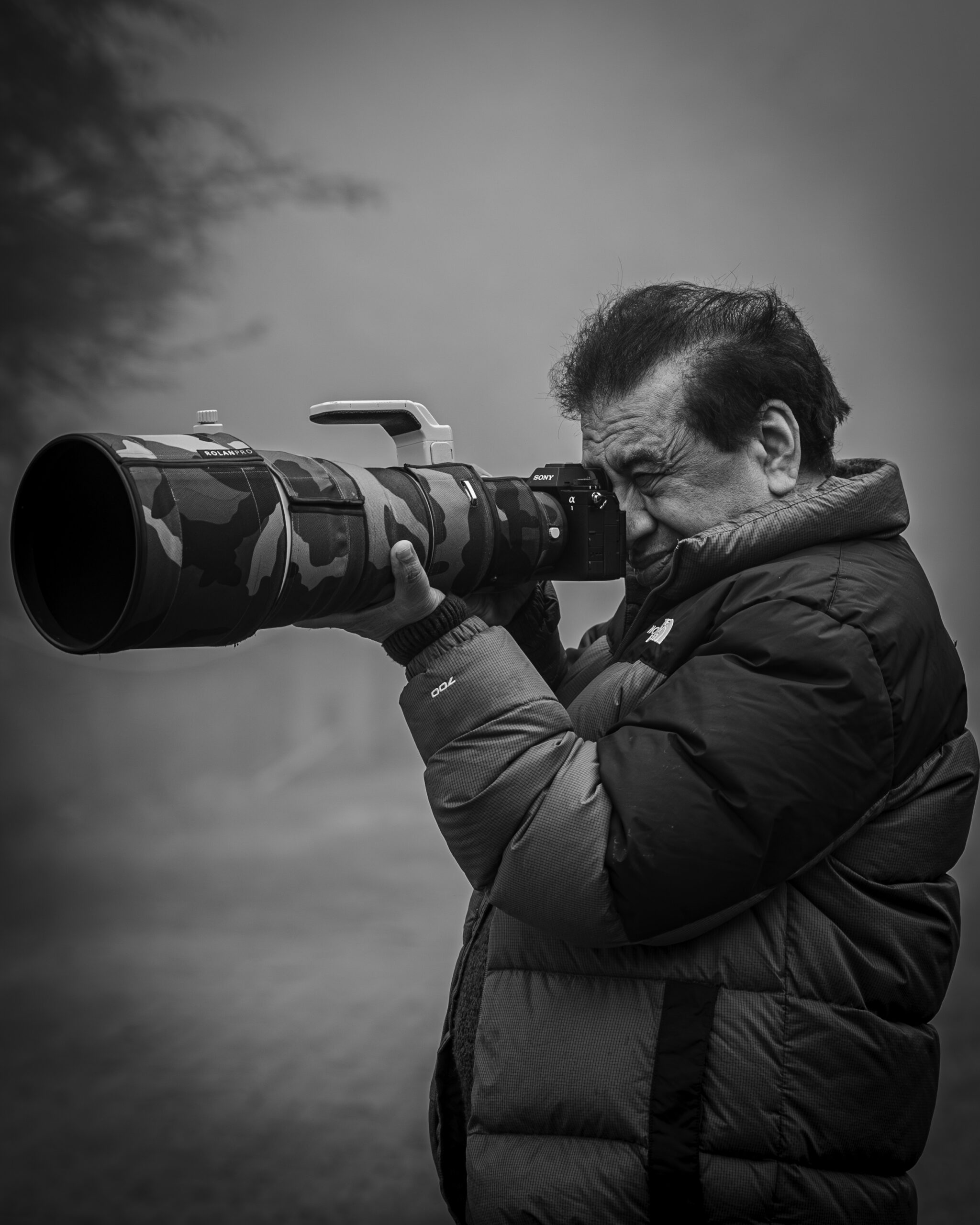
Yogesh Bhatia is a professional Wildlife photographer & mentor in India whose work reflects patience, observation, and a deep respect for nature. His journey in wildlife photography is shaped by countless hours in forests, observing animal behavior and waiting for moments that unfold naturally. Through his lens, wildlife is portrayed not just as subjects, but as living stories within their natural environment. His approach to Wildlife photography India focuses on authenticity rather than staged perfection, resulting in images that feel raw and immersive.